Understand your Apple Health history.
See Apple Health sleep, movement and heart readings alongside routines you log. Compare each day with your own history, inspect the readings and see what is missing.
Download on the App Store Explore the appApple Health · Optional places · Quick Log
Choose a question. See what your history can answer.
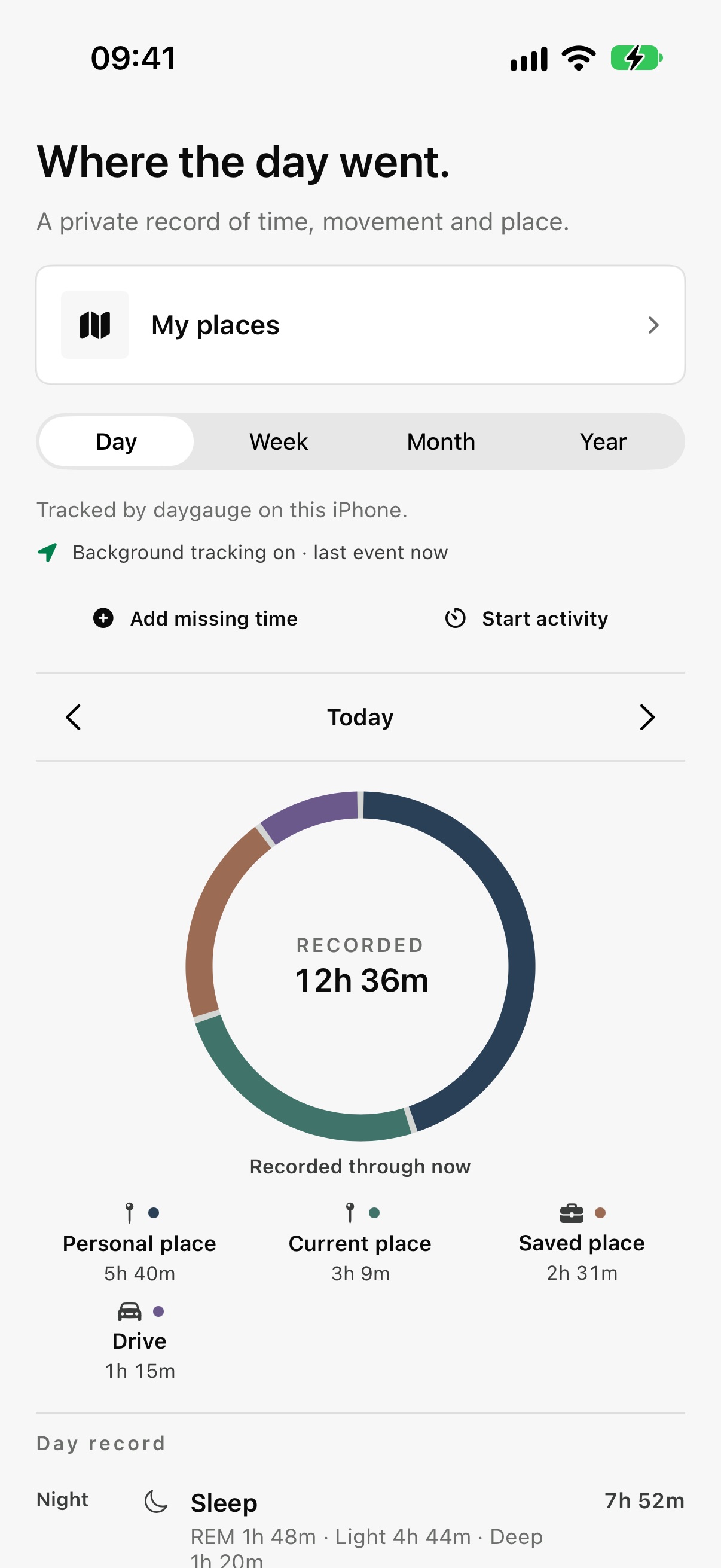
daygauge shows what is readable in your history and makes gaps clear.
- 01 / Focus
Choose what your history should explain first
Pick one question for daygauge to look at first.
- 02 / Sources
Choose what to connect
Apple Health access is optional. You can continue without connecting it and set up sources later.
- 03 / First read
See what is available so far
Your first read shows which saved readings are available and which are missing.
Your wearable data,
finally explained.
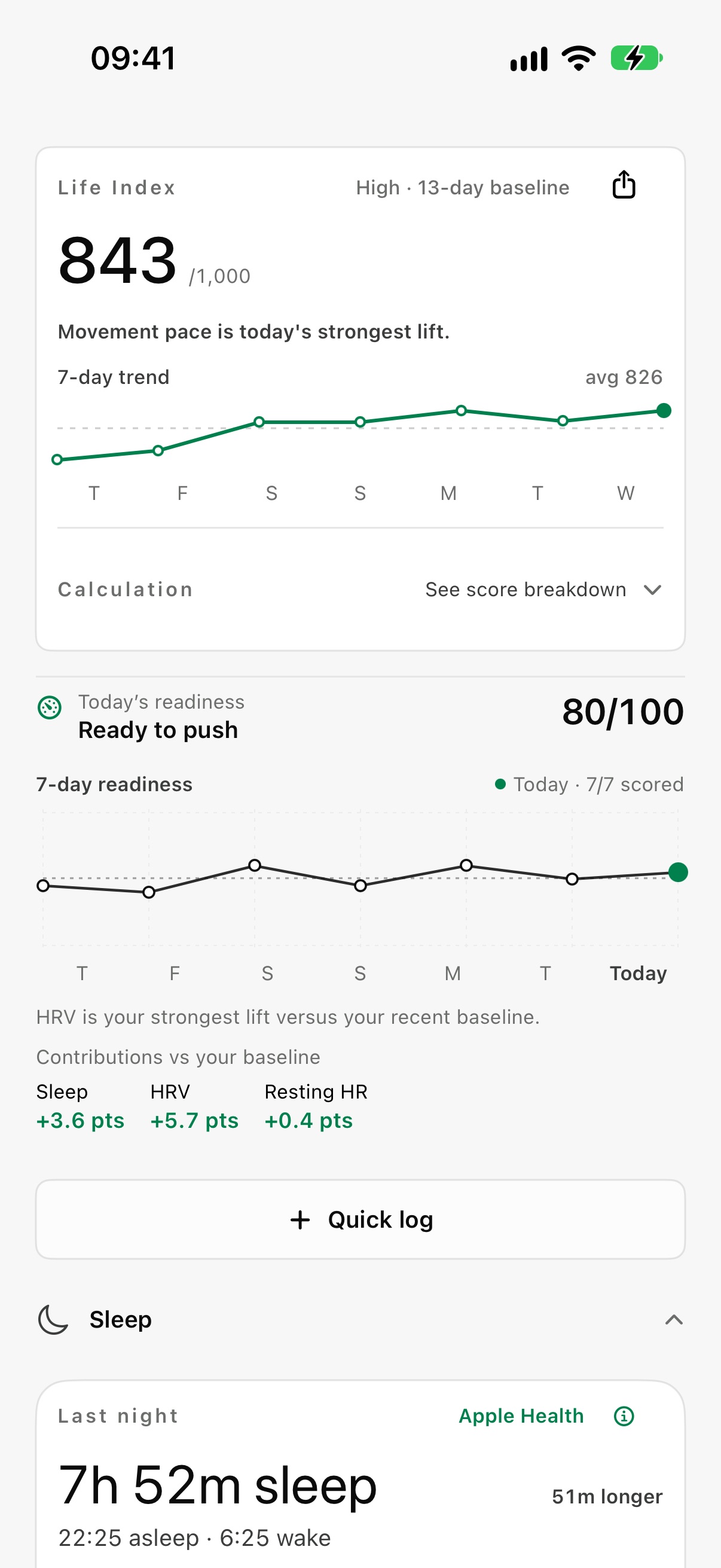
Your sources, personal baseline and the reason behind each change stay visible.
More than
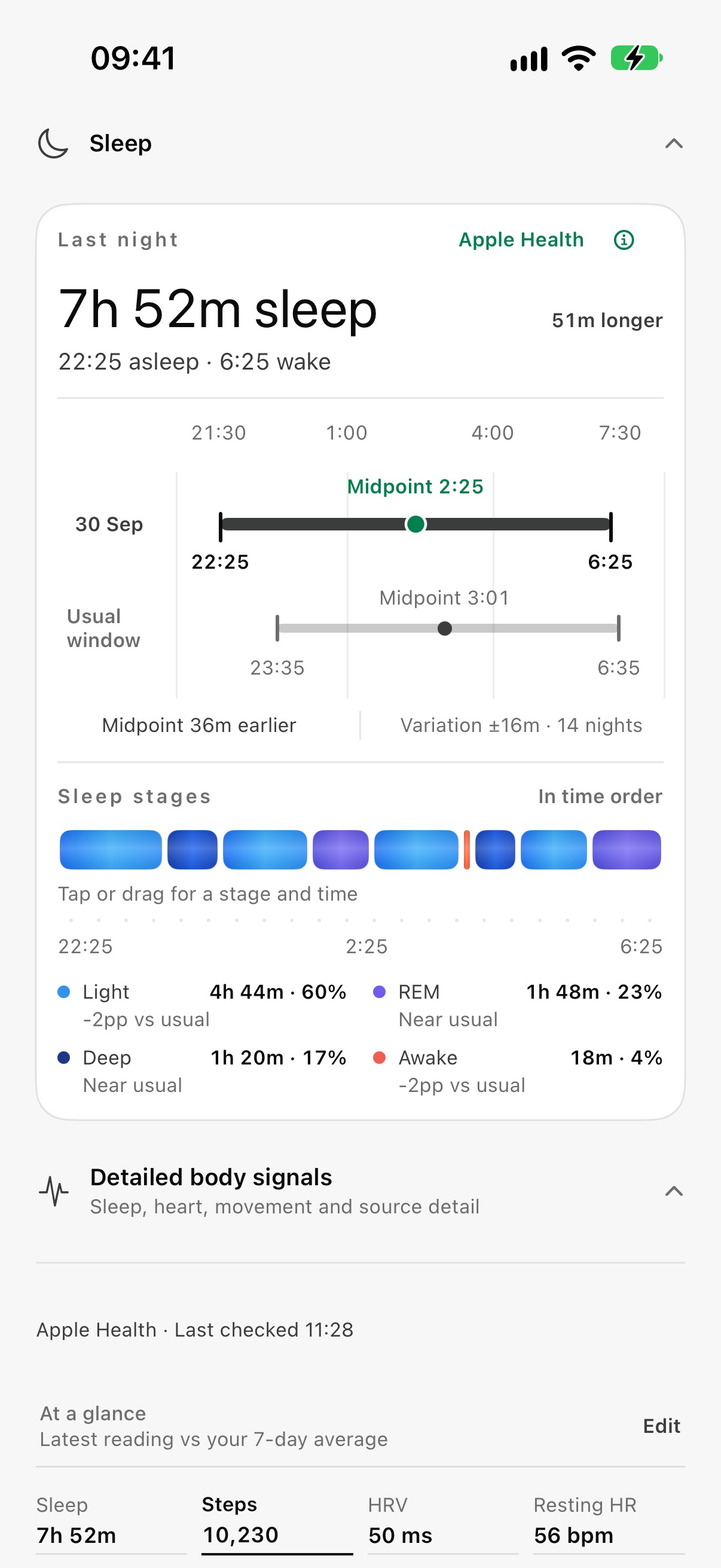
hours asleep.
See last night beside your usual sleep window. Explore stage timing when your wearable supplies it, and stage totals when it doesn’t.
The source and comparison stay visible, so you know what you’re looking at.
Add the things
your watch can’t.
A post-meal walk. Reading before bed. A late coffee. Quick Log keeps the week together, so adding yesterday is as easy as adding today.
View the full Quick Log screen ↗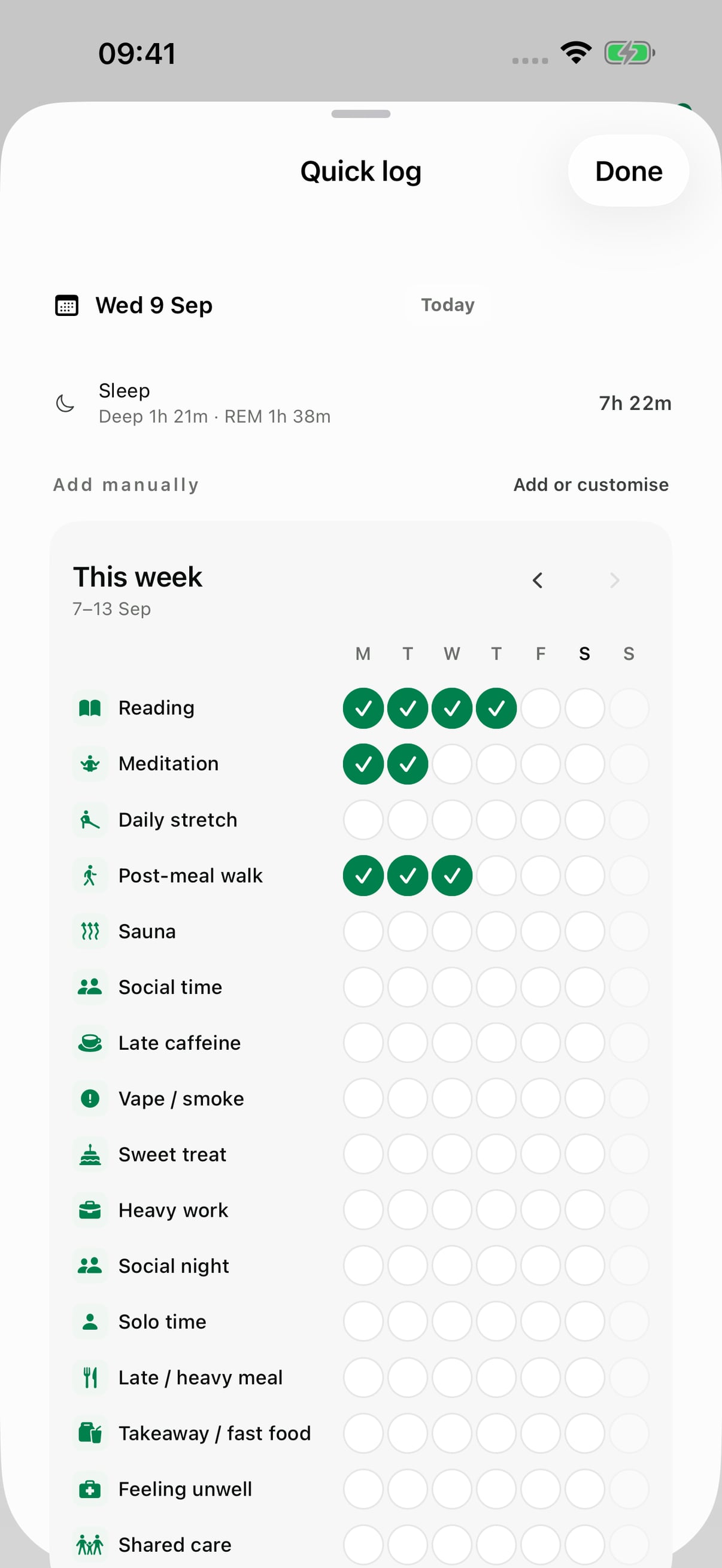
See the change.
See what supports it.
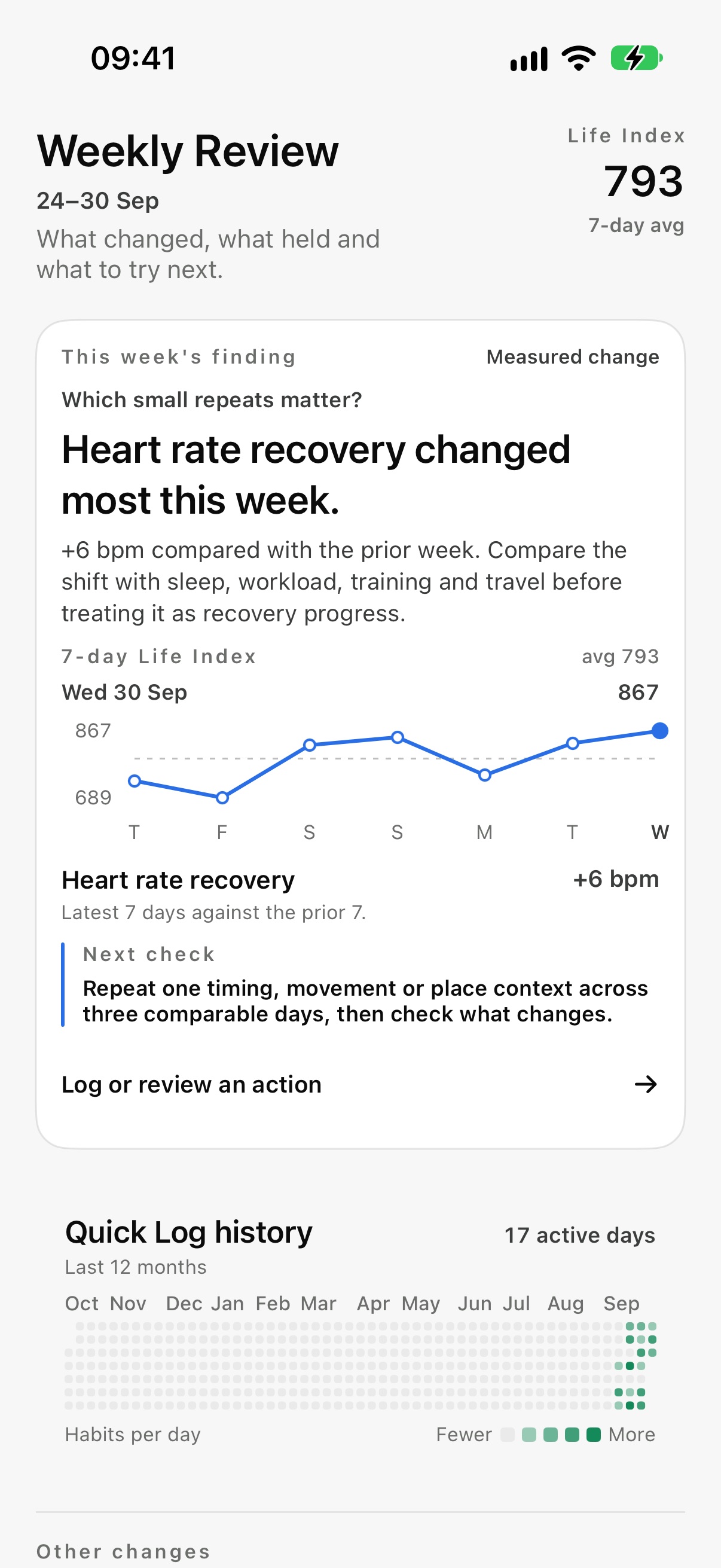
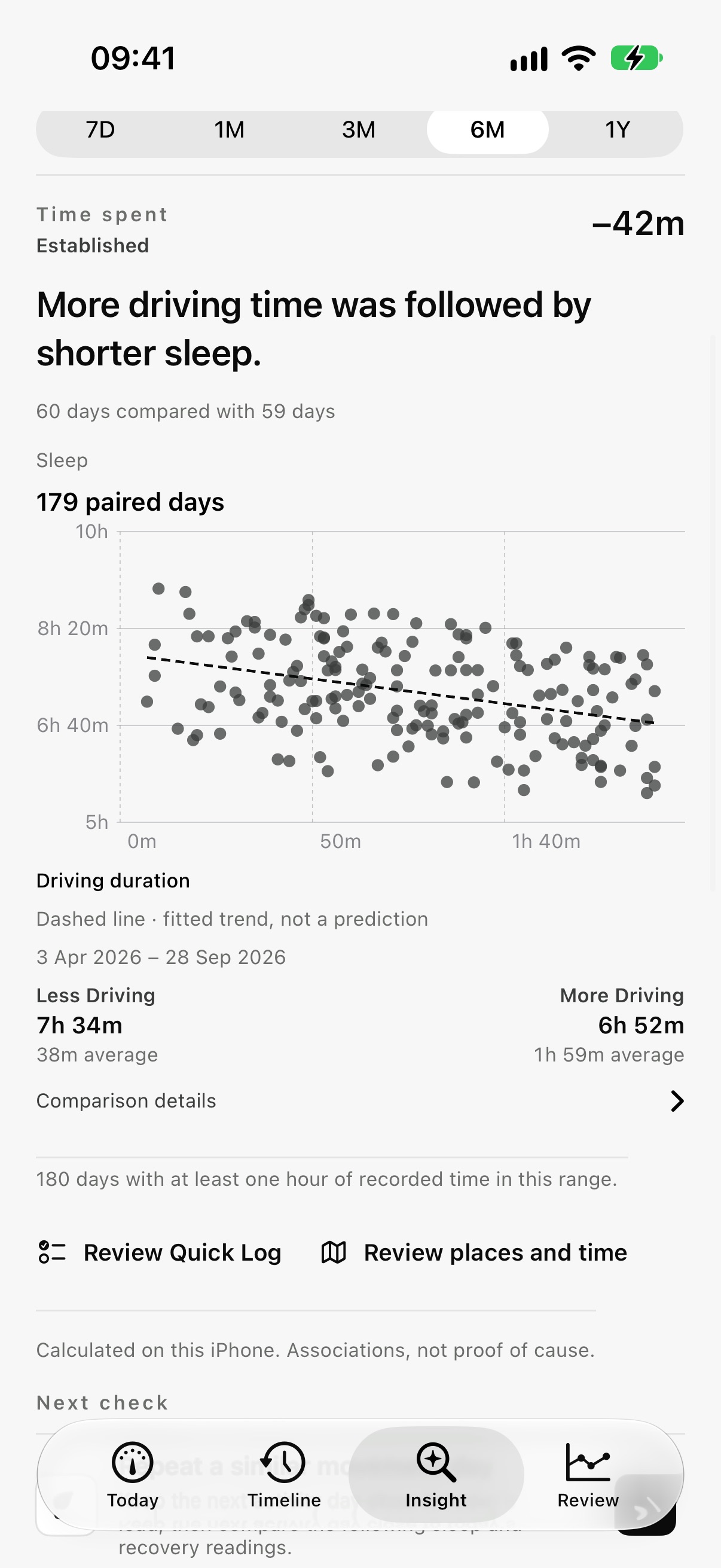
Follow your body signals over the week, then see how habits and daily ratings you log relate to your health readings. Each finding shows the paired days behind it. Associations are not proof of cause.
Your readings.
Your photos.
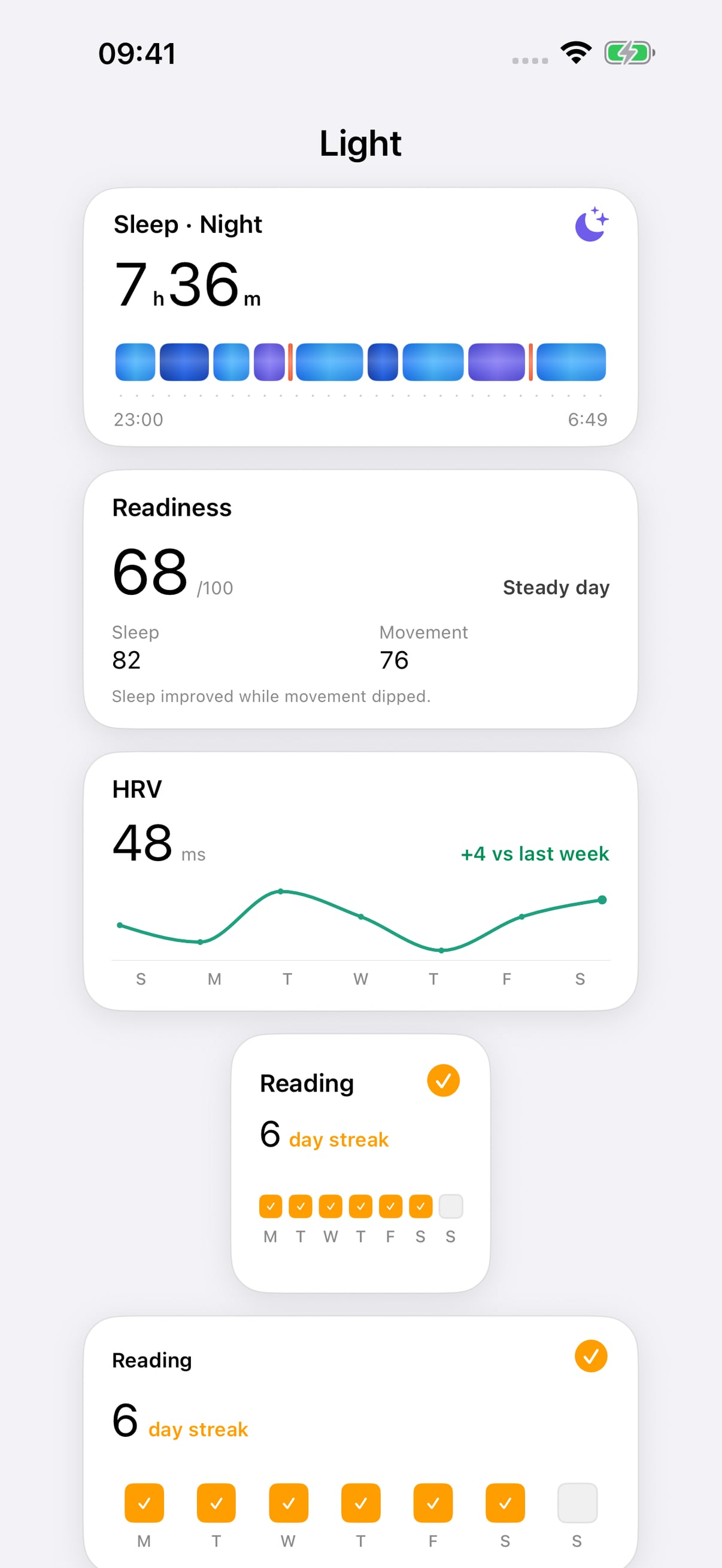
Keep steps, sleep and readiness close by. Choose photos or an album, pick a widget size, then adjust how each photo fits.
Small, Medium and Large photo widgets. Tap a photo, adjust it in the fixed preview, then save.
Apple Health readings stay on your iPhone. Saving weight to Apple Health needs separate permission. Optional places use precise points kept on your iPhone. Your privacy and controls.
Product updatesKeep up with what’s next.
Leave your email for release notes, new features and practical guides.
Product updates are free. They do not start a subscription.
Free plan available. Pro £8.99/month or £49.99/year. Compare plans.